User guide
Statistics and Settings
The per-event numbers of each run, and the settings of the application itself.
Statistics
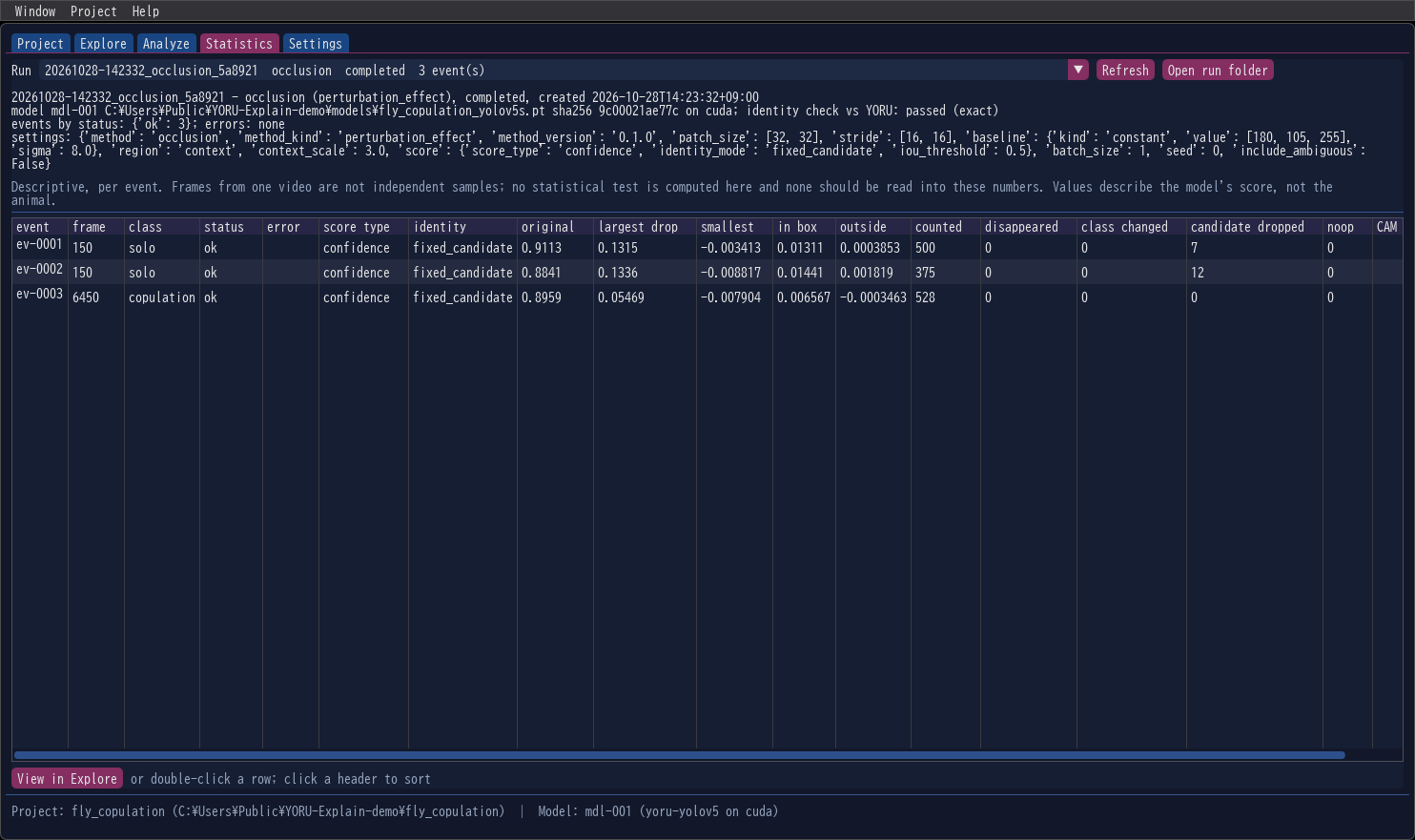
Choose a Run. The summary above the table names the method, the status, the model (path, SHA-256, device), the identity check against YORU, the events by status, the error codes, and every setting of the run. Refresh reads the project’s runs again; Open run folder opens the folder in Explorer.
The table has one row per event:
| Column | Meaning |
|---|---|
| event, frame, class | the event |
| status, error | ok, or failed with an error code (Output files) |
| score type, identity | what was explained, and how the detection was followed |
| original | the detection’s score on the unchanged frame |
| largest drop, smallest | the largest and the smallest per-patch score change (occlusion) |
| in box, outside | the map’s mean inside and outside the detection’s box (occlusion) |
| counted | patches that entered the map |
| disappeared, class changed | re-detection: patches after which the detection was gone, or only another class matched |
| candidate dropped | fixed-candidate: patches after which NMS would no longer keep the candidate |
| noop | the score change of the unchanged frame run through the same pipeline — a control, expected to be exactly 0 |
| CAM in box | Grad-CAM: the share of the map’s mass inside the box |
Click a header to sort; double-click a row, or press View in Explore, to see the map.
Descriptive, per event
Frames from one video are not independent samples. No statistical test is computed here, and none should be read into these numbers. They describe the model’s score, not the animal (Reading the results).
Settings
| Setting | |
|---|---|
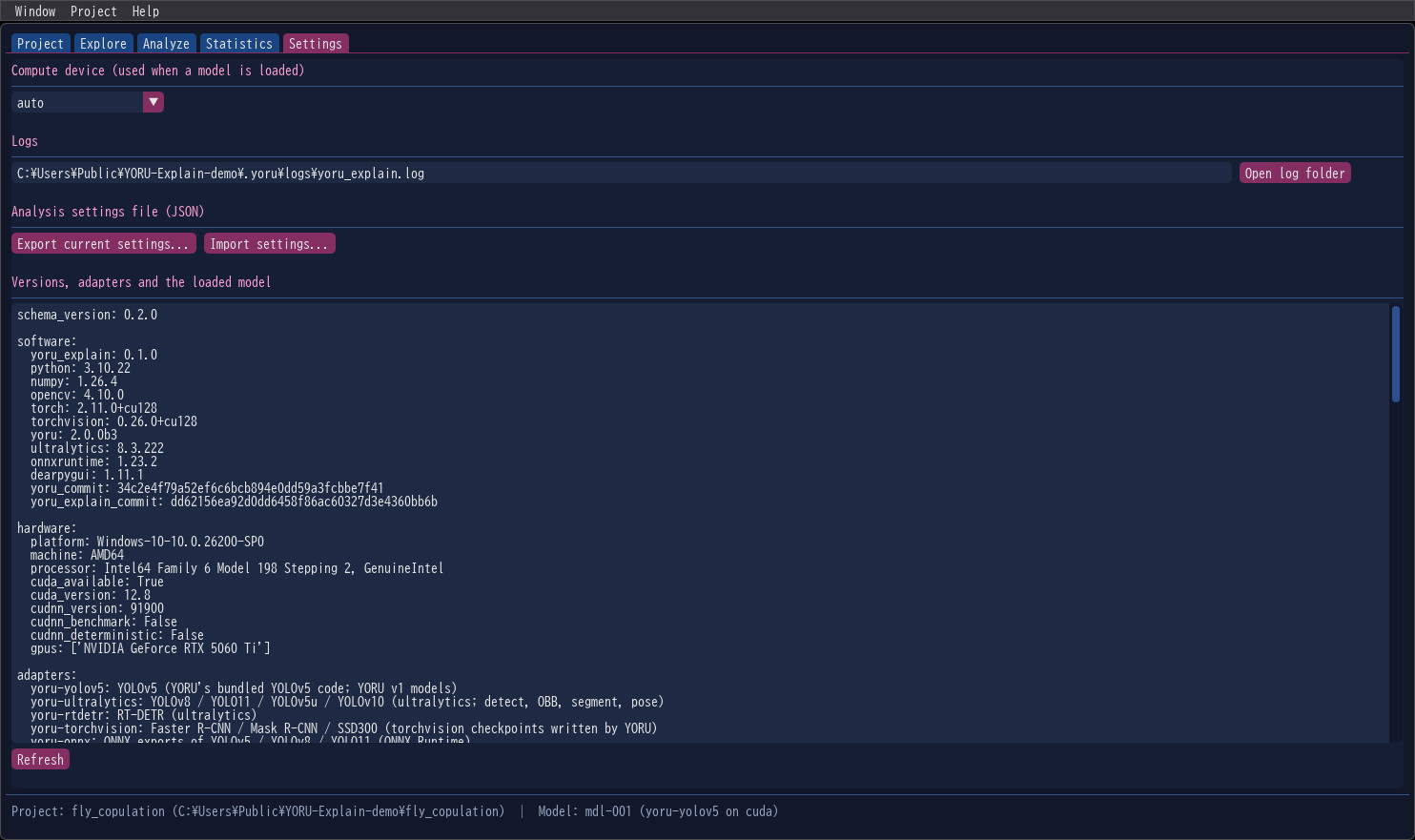
| Compute device | auto, cuda or cpu, used when a model is loaded. auto follows YORU: $YORU_DEVICE, else CUDA, else CPU. Scores differ slightly between devices (CUDA runs with fp16 autocast, as YORU does), so every run records its device. |
| Logs | The log file’s path, and Open log folder |
| Analysis settings file (JSON) | Export current settings… saves the settings of the Analyze tab; Import settings… loads a saved file — or a run’s config.json — back into it |
| Versions, adapters and the loaded model | YORU-Explain, Python, NumPy, OpenCV, PyTorch, YORU and the other packages, with the git commits of the YORU and YORU-Explain checkouts; the platform and GPU; the adapter of each YORU backend; and the loaded model’s information and capabilities. Copy it into a bug report. |
Menus
| Menu | Items |
|---|---|
| Window | Fit window to this screen, Maximize window, Text size, Save layout now, Reset layout to default — YORU’s own window menu |
| Project | New project…, Open project…, Save |
| Help | Open log folder, the version |
Closing the window while a run is going asks first; if you choose to quit, the run is cancelled and its folder closed before the window goes.