
User guide
Analyze: run occlusion and Grad-CAM
Choose the method and what is explained, then run it on the selected events or on all of them. The window stays responsive while it runs.
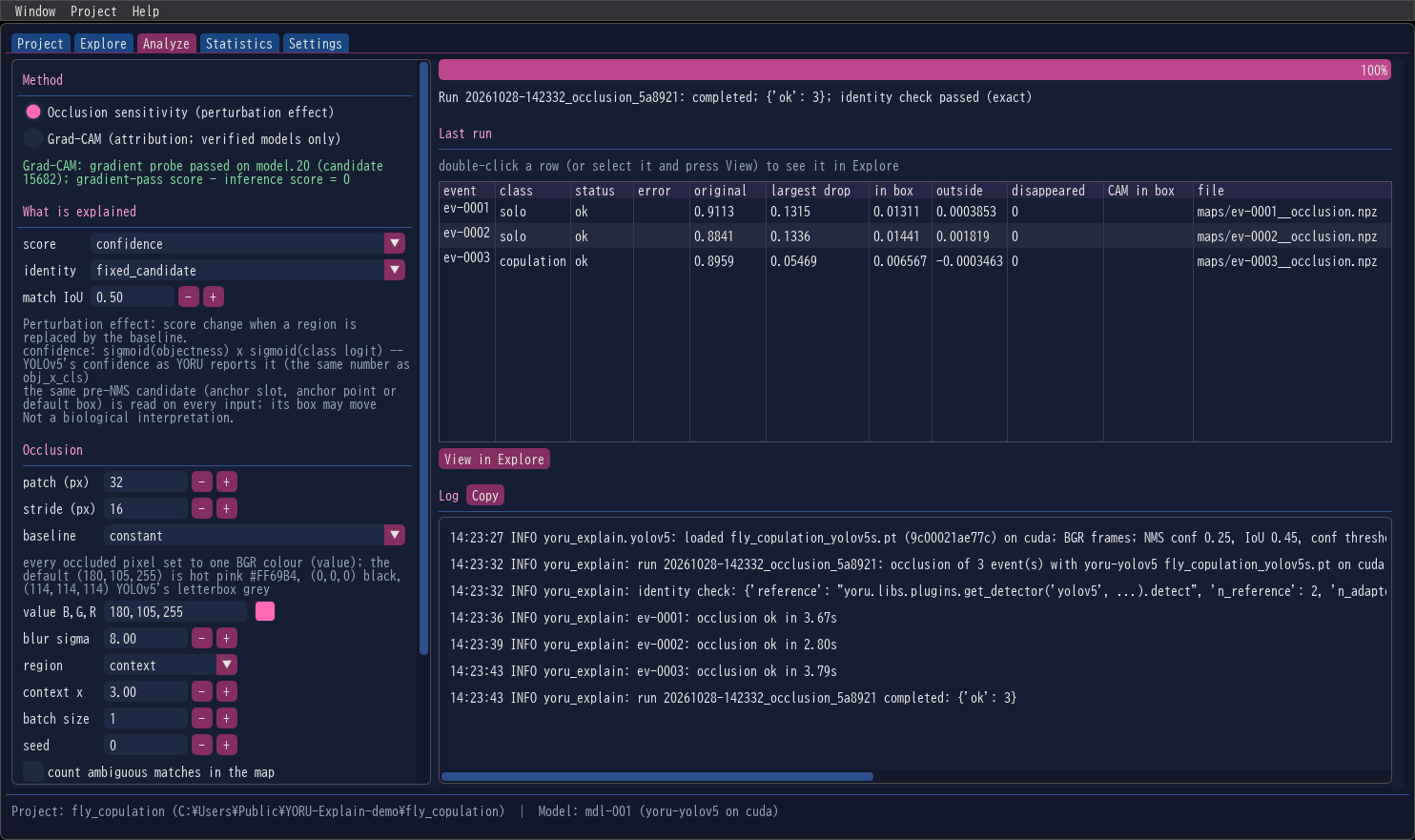
Method
| Method | Measures |
|---|---|
| Occlusion sensitivity (perturbation effect) | how the detection’s score changes when a region of the frame is replaced by a baseline |
| Grad-CAM (attribution; verified models only) | a gradient-weighted feature map of the detection’s score |
Grad-CAM is listed only when the loaded model passed the gradient probe at load time. The reason is shown under the methods either way: in green when the probe passed, in amber with the reason when Grad-CAM is not offered. ONNX models and black-box models have no gradients, so for them only occlusion is offered. Background: Occlusion sensitivity, Grad-CAM.
What is explained
| Setting | Default | Meaning |
|---|---|---|
| score | confidence |
Which number of the detector is explained. confidence is always the number YORU reports; the others the model’s family offers are listed too (obj_x_cls, cls_prob, obj_prob, cls_softmax, cls_logit, obj_logit). The definition appears under the settings. |
| identity | fixed_candidate |
How the detection is followed on a changed frame: the same pre-NMS candidate (fixed_candidate), or the detector run end to end and its output matched by class and IoU (redetect). Only the modes the model offers are listed. |
| match IoU | 0.50 | Re-detection: the smallest IoU with the original box that counts as the same detection |
The two identity modes answer different questions; What is measured explains both.
Occlusion settings
| Setting | Default | Meaning |
|---|---|---|
| patch (px) | 32 | Side of the square patch, in frame pixels |
| stride (px) | 16 | Step between patches; the last row and column are aligned to the region’s edge so every pixel is covered |
| baseline | constant |
What an occluded patch is replaced with: constant (one colour), image_mean (the frame’s mean colour), patch_mean (the patch’s own mean: removes texture, keeps colour), blur (the same patch of a Gaussian-blurred frame), noise (uniform random colours, seeded per patch) |
| value B,G,R | 180,105,255 | The colour of the constant baseline, in OpenCV’s B,G,R order: hot pink #FF69B4. 0,0,0 is black, 114,114,114 YOLOv5’s letterbox grey. The swatch next to it opens a colour picker. |
| blur sigma | 8.00 | blur baseline: Gaussian sigma in pixels |
| region | context |
Where the patches go: context (the box enlarged by the factor below), box, or full (the whole frame) |
| context x | 3.00 | The enlargement factor of context |
| batch size | 1 | Frames per forward pass. 1 reproduces YORU exactly; larger is faster, and the reference score is then taken at the same batch size (why) |
| seed | 0 | Seed of the noise baseline |
| count ambiguous matches in the map | off | Re-detection: also count patches where two detections match the box |
Grad-CAM settings
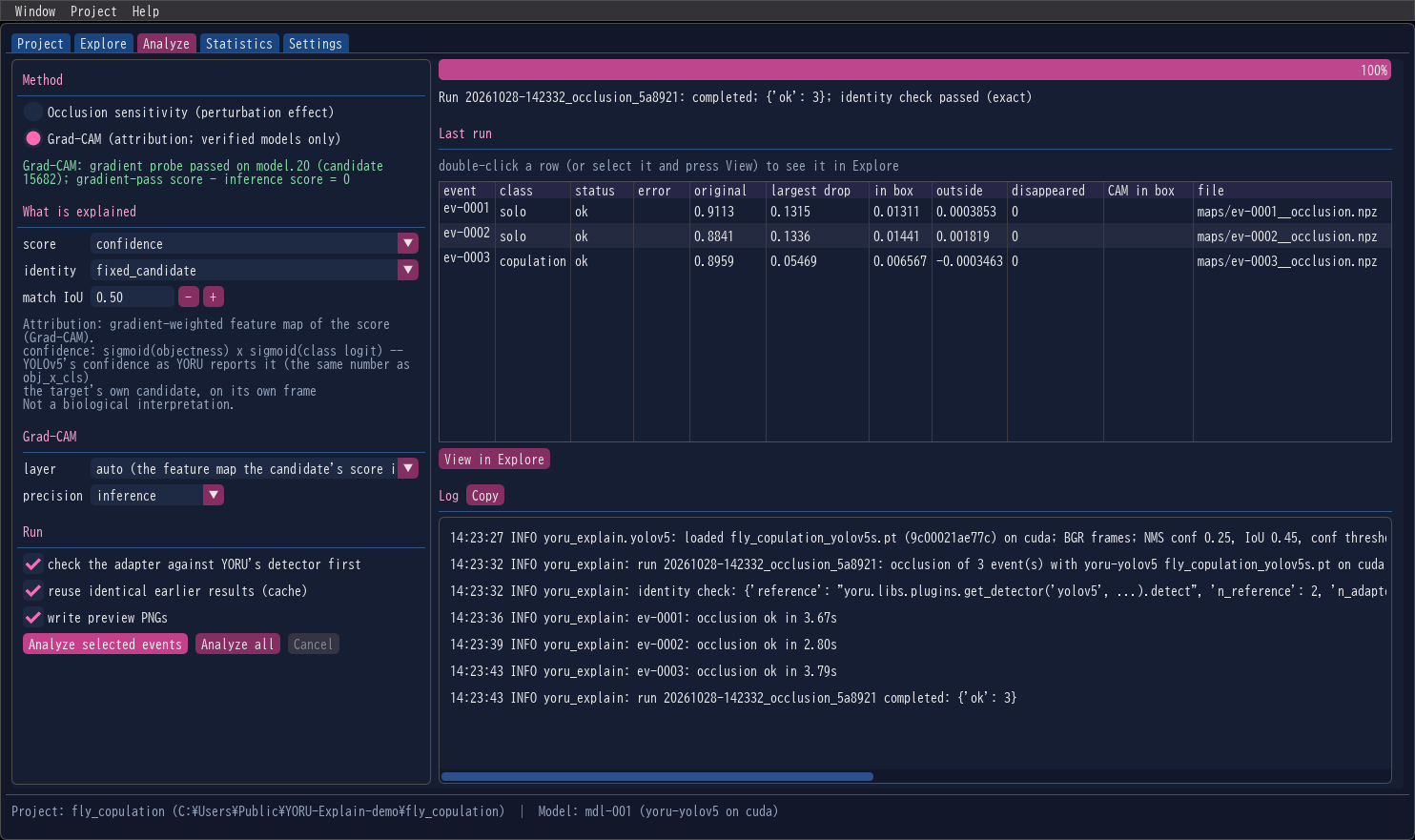
| Setting | Default | Meaning |
|---|---|---|
| layer | auto |
The feature map the candidate’s score is computed from: for YOLO models the detection head’s input at the candidate’s level; RT-DETR the decoder input of the query’s encoder token; Faster R-CNN the FPN level its proposal is pooled from; SSD the feature map of its default box. The other layers whose maps tile the input are listed too. |
| precision | inference |
inference uses the same autocast as YORU, so the explained score is YORU’s; fp32 turns autocast off |
Run
| Option | Default | |
|---|---|---|
| check the adapter against YORU’s detector first | on | Before anything else, the run compares the adapter’s detections on its first frame with YORU’s own detector, and stops if they differ |
| reuse identical earlier results (cache) | on | An event already analysed with the same model, device, frame, target and settings is copied from the earlier run instead of computed again |
| write preview PNGs | on | Writes previews/<event>__<method>.png: frame, map and overlay with the colour scale and the settings |
Analyze selected events runs on the events selected in Explore; Analyze all on every event of the project. Cancel stops after the current batch, and the run folder is still closed with its manifest.
While a run goes on, the progress bar and the status line follow it, the log scrolls on the right (Copy copies it), and the window keeps responding. When it ends, Last run lists one row per event:
| Column | Occlusion | Grad-CAM |
|---|---|---|
| status, error | ok, or failed with an error code |
same |
| original | the detection’s score on the unchanged frame | same |
| largest drop | the largest score drop of any patch | — |
| in box / outside | the map’s mean inside / outside the detection’s box | — |
| disappeared | re-detection: patches after which the detection was gone | — |
| CAM in box | — | the share of the map’s mass inside the box |
| file | the map file in the run folder | same |
Double-click a row (or select it and press View in Explore) to see the result on its frame.
What a run does
- Writes the request to
runs/<run_id>/config.json, then a manifest with statusrunning. - Reads each event’s frame in decoding order and compares its pixel hash with the event’s; a different frame becomes
frame_mismatch, not a result. - On the first frame, checks the adapter against YORU’s detector (if ticked). A failed check stops the run.
- Finds the event’s detection again — the same candidate and class with IoU ≥ 0.9, or class and IoU ≥ 0.9 — or reports
target_not_reproduced. - Computes the map, writes the map and the preview, then the event’s rows; the
results.csvrow is written last. - Closes the manifest with the status, the identity check, and the counts per status and error code.
An event that fails does not stop the run; the next one is analysed. Each run folder is described in Output files.
On the RTX 5060 Ti used for development, one event of the YOLOv5 fly model with 32-pixel patches, stride 16 and context ×3 (375–528 patches) took 2.7–3.8 s at batch size 1 and 1.4–1.9 s at batch size 8.
Reuse settings
Settings → Export current settings… saves the analysis settings as JSON; Import settings… loads them back, and also accepts a run’s config.json, so an earlier run’s settings can be repeated exactly.